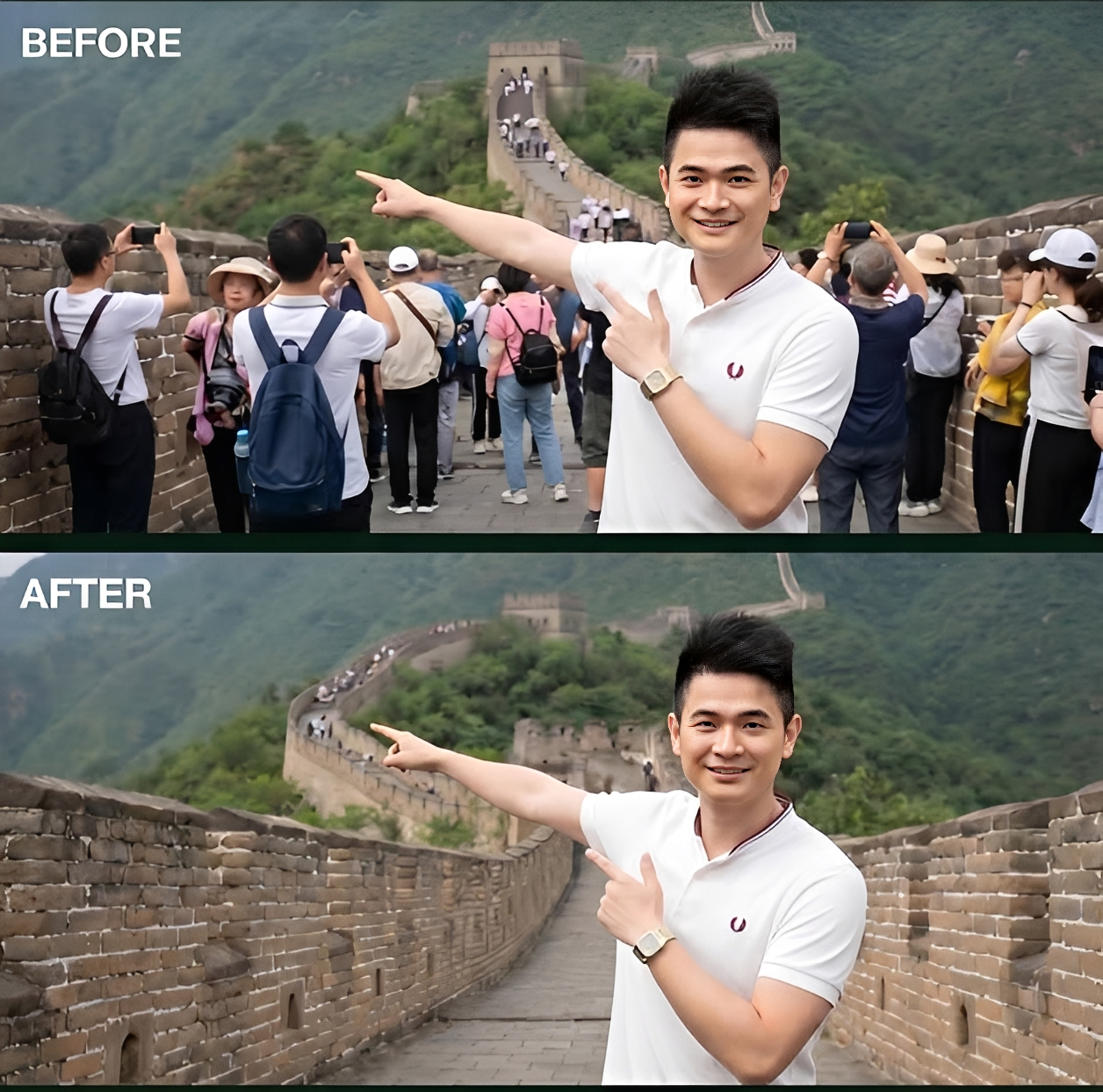
Remove People In Background Image Prompt
Generate on ChatGPTMain Prompt
How To Use
- Open ChatGPT
- Upload reference image if needed
- Copy the prompt
- Paste the prompt into ChatGPT
- Generate your AI image/video
Description
The Remove People in Background Image Prompt is designed for creators who want to clean up photographs by eliminating unwanted people, distractions, and background clutter while preserving the natural appearance of the original scene. Inspired by professional photo-retouching workflows, travel photography, social-media editing, and commercial image enhancement, this style focuses on creating cleaner and more visually appealing compositions.
Unlike traditional photo editing that requires manual retouching skills, AI-powered background-person removal allows users to quickly transform crowded images into professional-looking photographs. The generated results often preserve environmental details, textures, lighting, shadows, reflections, and perspective while seamlessly removing unwanted individuals from the scene. The goal is to make the image appear as if the removed people were never there.
This prompt is ideal for travelers, photographers, influencers, real-estate marketers, social-media creators, businesses, designers, and AI artists who want distraction-free visuals. Whether you're editing tourist attractions, vacation photos, street photography, landscape images, architectural shots, product showcases, or personal portraits, this prompt helps create cleaner and more professional results.
One of the biggest strengths of this style is versatility. Users can remove random pedestrians, photobombers, tourists, background crowds, vehicles, unwanted objects, or visual distractions from almost any type of image. Every variation maintains the realism of the original photograph while improving composition and focus.
When combined with realistic texture reconstruction, accurate lighting preservation, seamless object replacement, environmental consistency, and professional editing techniques, the final result can resemble work produced by experienced photo retouchers and commercial editing studios.
Best Free AI Tool
- Gemini
Alternative AI Tools
- Adobe Firefly Photoshop Generative Fill Gemini Leonardo AI Flux Ideogram
Tips For Better Results
- Clearly identify the people or objects that need to be removed.
- Preserve the original background, lighting, and perspective.
- Maintain realistic textures and environmental details.
- Ensure shadows, reflections, and depth remain natural.
- Avoid creating empty or unnatural-looking spaces.
- Keep the main subject as the visual focal point.
- Balance realism and cleanliness for a professional final image.
Tags
#RemovePeoplePrompt #BackgroundRemovalAI #AIPhotoCleanup #RemoveTouristsFromPhoto #ImageEditingPrompt #AIPhotoRetouching #CleanBackgroundImage #RemovePhotobombersAI #RealisticPhotoEditing #AIObjectRemoval #BackgroundCleanupPrompt #TrendingEditingPrompt