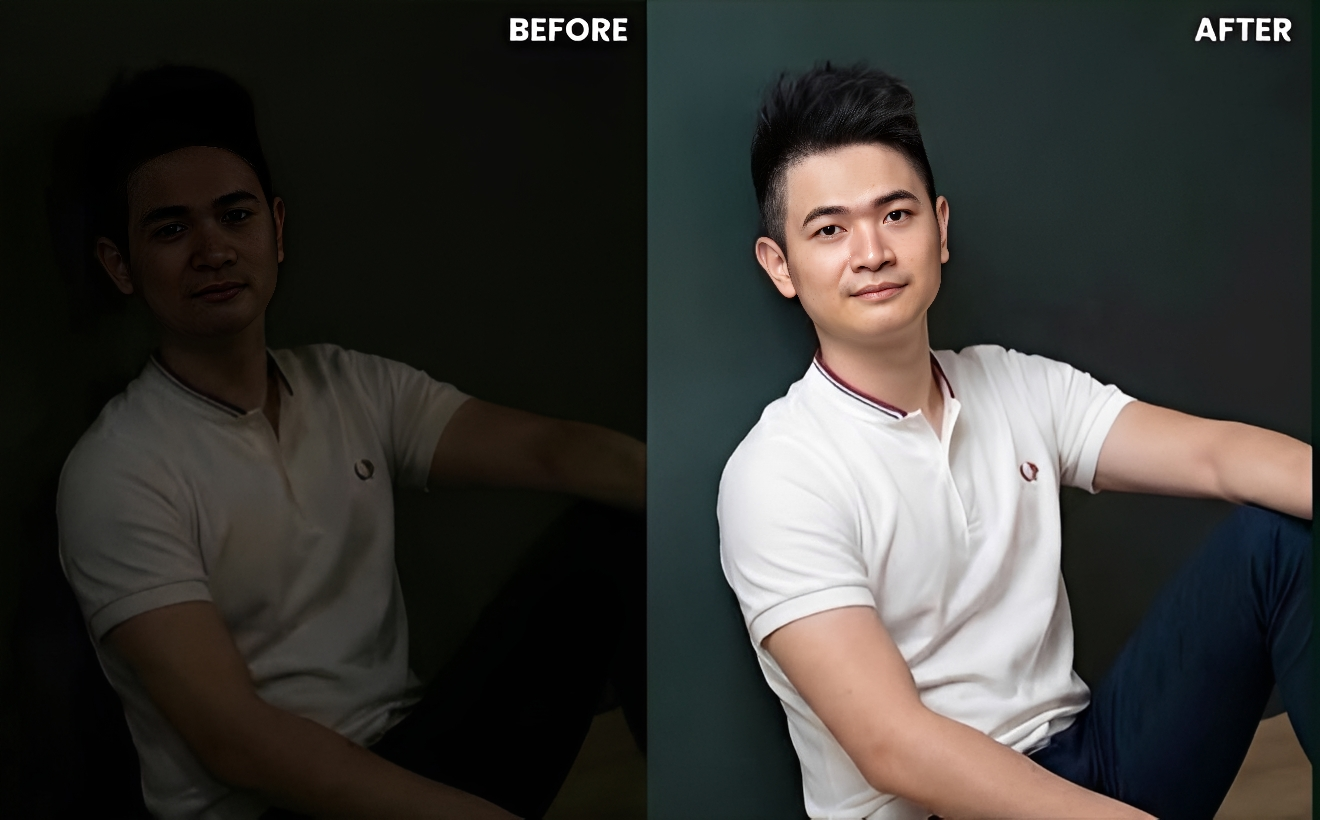
Correct Poor Lighting Image Prompt
Generate on ChatGPTMain Prompt
How To Use
- Open ChatGPT
- Upload reference image if needed
- Copy the prompt
- Paste the prompt into ChatGPT
- Generate your AI image/video
Description
Lighting is one of the most important factors in photography. Even a perfectly composed image can lose its impact if the lighting is too dark, uneven, flat, or poorly balanced. Poor lighting often hides important details, reduces image quality, creates unwanted shadows, and makes colors appear dull. Fortunately, modern AI image editing has made it possible to transform poorly lit photos into professional-looking visuals without requiring advanced editing skills.
The Correct Poor Lighting Image Prompt is designed to enhance photographs by intelligently improving brightness, contrast, exposure, color balance, and overall visual clarity while preserving the natural appearance of the original image. Instead of simply increasing brightness, this style focuses on rebuilding lighting in a realistic way so that the final result looks as if it was captured under ideal conditions.
One of the biggest advantages of AI-powered lighting correction is its ability to recover details that are difficult to see in underexposed images. Faces become clearer, colors become more vibrant, shadows become more balanced, and the overall image gains depth and realism. Whether the original photo was taken indoors, at night, during bad weather, or under poor lighting conditions, proper enhancement can dramatically improve its visual quality.
This editing style is widely used by photographers, influencers, social-media creators, businesses, real-estate marketers, and everyday users who want to improve the quality of their photos. From portraits and travel photography to product images and lifestyle content, lighting correction helps transform ordinary photos into polished, professional visuals.
When realistic exposure adjustments, shadow recovery, color enhancement, detail restoration, and natural lighting effects are combined successfully, the final image can look as though it was captured using professional camera equipment and studio-quality lighting.
Best Free AI Tool
- Gemini
Alternative AI Tools
- Adobe Firefly Photoshop Generative Fill Gemini Leonardo AI Flux Canva AI SnapEdit Fotor AI
Tips For Better Results
- Use high-resolution source images whenever possible.
- Preserve realistic shadows and highlights.
- Avoid excessive brightness that creates unnatural results.
- Maintain natural skin tones during correction.
- Recover details from dark areas without introducing noise.
- Balance contrast carefully for a professional appearance.
- Enhance colors subtly instead of oversaturating the image.
- Keep the final result realistic and visually natural.
Tags
#Correct Poor Lighting Image Prompt #Lighting Correction AI #AI Photo Enhancement #Exposure Correction Prompt #Image Brightness Enhancement #Professional Photo Editing #AI Image Restoration #Dark Photo Fix #Portrait Lighting Correction #Realistic Photo Enhancement #AI Editing Prompt #Photo Retouching AI #Image Quality Improvement #Exposure Adjustment Prompt #Trending AI Editing Prompt