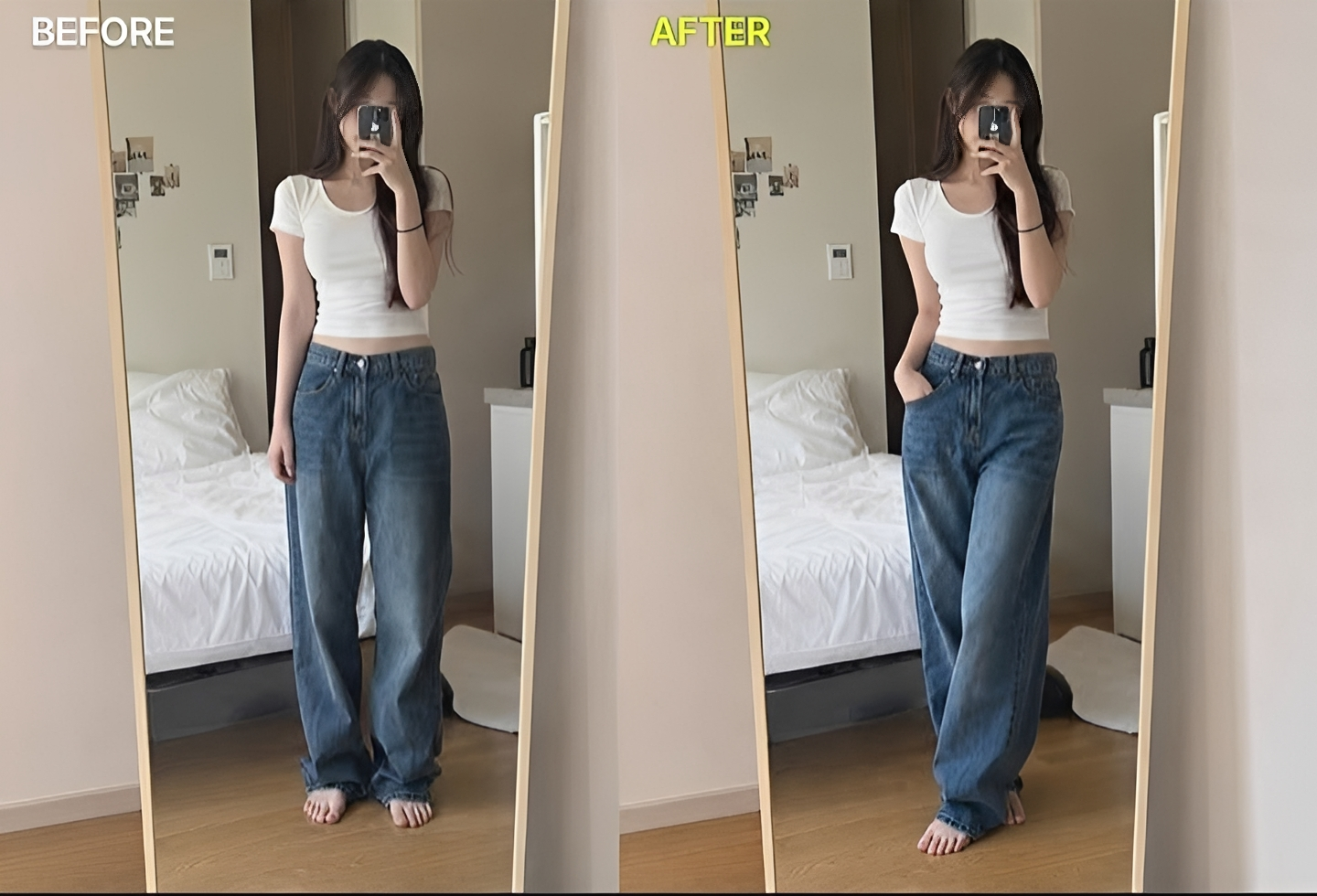
Change The Pose In Photo Image Prompt
Generate on ChatGPTMain Prompt
How To Use
- Open ChatGPT
- Upload reference image if needed
- Copy the prompt
- Paste the prompt into ChatGPT
- Generate your AI image/video
Description
Photography is all about capturing the perfect moment, but sometimes even the best photo can feel incomplete because of the subject's pose. A different pose can completely change the mood, personality, and impact of an image. The Change Pose in Photo Image Prompt is designed to solve this challenge by allowing creators to transform body posture, gestures, and positioning while preserving the subject's identity, facial features, clothing, and overall appearance. Modern AI tools can intelligently modify poses without requiring a new photoshoot, making pose transformation one of the most practical and popular photo-editing techniques available today.
One of the biggest reasons this editing style has become so popular is flexibility. A single photograph can be transformed into multiple variations simply by changing the body language. A casual standing pose can become a confident fashion pose, a relaxed portrait can become a dynamic action shot, and a simple social-media image can be converted into a professional-looking editorial photograph. This gives photographers, influencers, content creators, and marketers far more creative options from a single image.
What makes realistic pose editing impressive is the ability to maintain consistency while introducing a completely new posture. Advanced AI systems can preserve facial identity, clothing details, body proportions, lighting conditions, and environmental context while generating a new pose that looks natural and believable. Instead of appearing artificially manipulated, the final result should feel as though the subject originally posed that way during the photoshoot.
This style is widely used across fashion photography, social-media content, e-commerce marketing, professional portraits, personal branding, advertising campaigns, and creative design projects. Fashion brands often use pose variations to showcase clothing from different angles. Influencers create multiple content variations from a single photoshoot. Businesses use pose editing to improve marketing materials without organizing expensive reshoots. These practical applications have made AI-powered pose transformation increasingly valuable for both professionals and everyday users.
Another major advantage of pose transformation is creative experimentation. Users can test different emotions, body language styles, and visual narratives without changing the original photograph. A confident stance can communicate authority, a relaxed pose can feel approachable, while a dynamic movement pose can create energy and excitement. By adjusting posture alone, creators can dramatically alter the emotional impact of an image while preserving the subject's core identity.
Realism remains the most important factor. Natural anatomy, accurate limb positioning, consistent lighting, realistic shadows, and proper balance all contribute to a convincing result. When these elements are combined successfully, the edited image looks authentic rather than generated. This level of realism is what separates professional-quality pose editing from basic image manipulation.
As AI photo editing continues to evolve, pose transformation is becoming one of the most powerful tools for image customization. When identity preservation, realistic body movement, consistent lighting, and professional rendering come together effectively, the final image can look as though it was captured in a completely different pose during the original photoshoot while maintaining perfect realism.
Best Free AI Tool
- Gemini
Alternative AI Tools
- Google Gemini Adobe Firefly Photoshop Generative Fill Leonardo AI Flux Fotor AI Pixelcut AI Media.io AI
Tips For Better Results
- Use a high-resolution source image with the full body visible.
- Clearly describe the desired pose in detail.
- Preserve facial features and identity while changing only the body posture.
- Maintain realistic body proportions and anatomy.
- Ensure lighting remains consistent with the original image.
- Keep clothing details intact during the transformation.
- Use natural poses that match the environment.
- Preserve realistic shadows and reflections.
- Avoid extreme pose changes if maximum realism is required.
- Focus on body language that supports the intended mood or story.
Tags
#Change Pose in Photo Image Prompt #AI Pose Changer #Photo Pose Editing #Change Body Pose AI #Realistic Pose Transformation #AI Photo Editing Prompt #Pose Correction AI #Portrait Pose Editor #AI Body Language Editor #Fashion Pose Generator #Social Media Pose Editing #Professional Pose Transformation #AI Portrait Editing #Realistic Photo Manipulation #Trending AI Editing Prompt #Body Pose Changer #Identity Preserving AI Edit #AI Photography Prompt #Pose Adjustment Image Prompt #Realistic Pose Generator