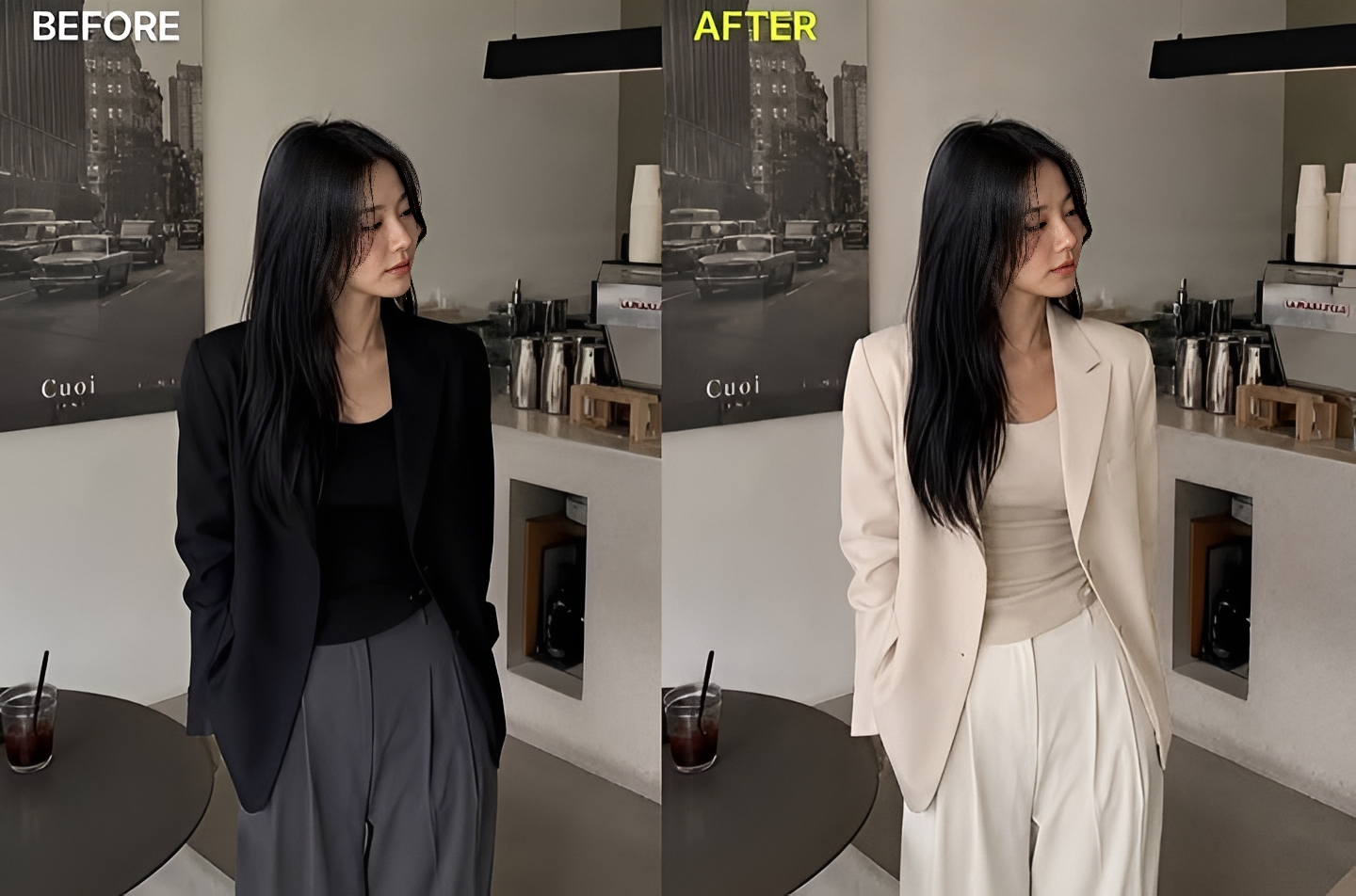
Change The Colour Of The Outfit Image Prompt
Generate on ChatGPTMain Prompt
How To Use
- Open ChatGPT
- Upload reference image if needed
- Copy the prompt
- Paste the prompt into ChatGPT
- Generate your AI image/video
Description
The Change Colour of Outfit Image Prompt is one of the most practical and visually impressive applications of modern AI image editing. Fashion, styling, branding, and personal aesthetics often depend heavily on color. A simple color change can completely transform the mood, style, and visual impact of an outfit without altering the clothing design itself. This prompt is designed to intelligently modify outfit colors while preserving fabric texture, lighting, shadows, folds, stitching, and overall realism.
Traditionally, changing the color of clothing in a photograph required advanced editing skills and time-consuming manual adjustments. Professional designers and photographers often spent hours carefully masking garments, adjusting tones, and ensuring that shadows and highlights remained realistic. Today, AI-powered image editing can perform these transformations much more efficiently while maintaining a highly natural appearance.
One of the biggest reasons this editing style has become popular is versatility. A single outfit can instantly be visualized in multiple color variations, allowing creators to experiment with different aesthetics before making real-world decisions. Fashion brands use color transformation to showcase product variations, designers test new concepts without creating physical samples, and social-media creators experiment with different visual styles for content creation.
Realism is the most important aspect of successful outfit color transformation. Simply applying a new color is not enough. The AI must preserve fabric details, material properties, shadows, highlights, reflections, and texture patterns. Satin should continue to look like satin, denim should maintain its rugged texture, leather should retain realistic reflections, and cotton fabrics should preserve their natural appearance. When these elements remain intact, the final image looks as though the outfit was originally manufactured in the new color.
Another major advantage of this style is its application in fashion visualization. Users can preview how they would look wearing different colors before purchasing clothing, while brands can create multiple marketing assets from a single photoshoot. This reduces production costs while increasing creative flexibility. Luxury fashion campaigns, e-commerce stores, online catalogs, and personal styling projects frequently benefit from realistic color transformation techniques.
Color psychology also plays an important role. Black can create a premium and sophisticated appearance, white can communicate elegance and simplicity, red can suggest confidence and energy, blue often represents trust and calmness, while pastel tones create a softer and more aesthetic atmosphere. By experimenting with different colors, creators can completely change the emotional impact of an image while preserving the original outfit design.
Modern AI image generation and editing systems have significantly improved the quality of clothing transformations. Advanced rendering techniques allow realistic interaction between light and fabric while maintaining proper shadows and environmental consistency. This makes the edited image appear authentic rather than artificially recolored.
When realistic fabric rendering, accurate color replacement, preserved textures, consistent lighting, and professional image enhancement are combined successfully, the final result can look indistinguishable from a professionally photographed outfit in its new color variation.
Best Free AI Tool
- Gemini
Alternative AI Tools
- Google Gemini Adobe Firefly Photoshop Generative Fill Leonardo AI Flux Canva AI Fotor AI SnapEdit
Tips For Better Results
- Use a high-resolution image with clearly visible clothing.
- Specify the exact target color for the outfit.
- Preserve original fabric textures and stitching details.
- Maintain realistic shadows and highlights.
- Keep skin tones and background elements unchanged.
- Ensure reflections match the new outfit color.
- Use natural color transitions for realistic results.
- Avoid oversaturation unless a stylized look is desired.
- Preserve folds, wrinkles, and material characteristics.
- Focus on realism rather than simply replacing colors.
Tags
#Change Colour of Outfit Image Prompt #Outfit Color Change AI #Clothing Color Editor #AI Fashion Editing #Outfit Recolor Prompt #Fashion Color Transformation #AI Clothing Editor #Garment Color Change #Realistic Outfit Editing #Fashion Photo Enhancement #AI Wardrobe Editing #Outfit Customization Prompt #Clothing Recolor AI #Fashion Image Editing #Trending AI Editing Prompt #Outfit Color Replacement #AI Fashion Transformation #Realistic Clothing Edit #Color Change Photo Prompt #Outfit Modification AI