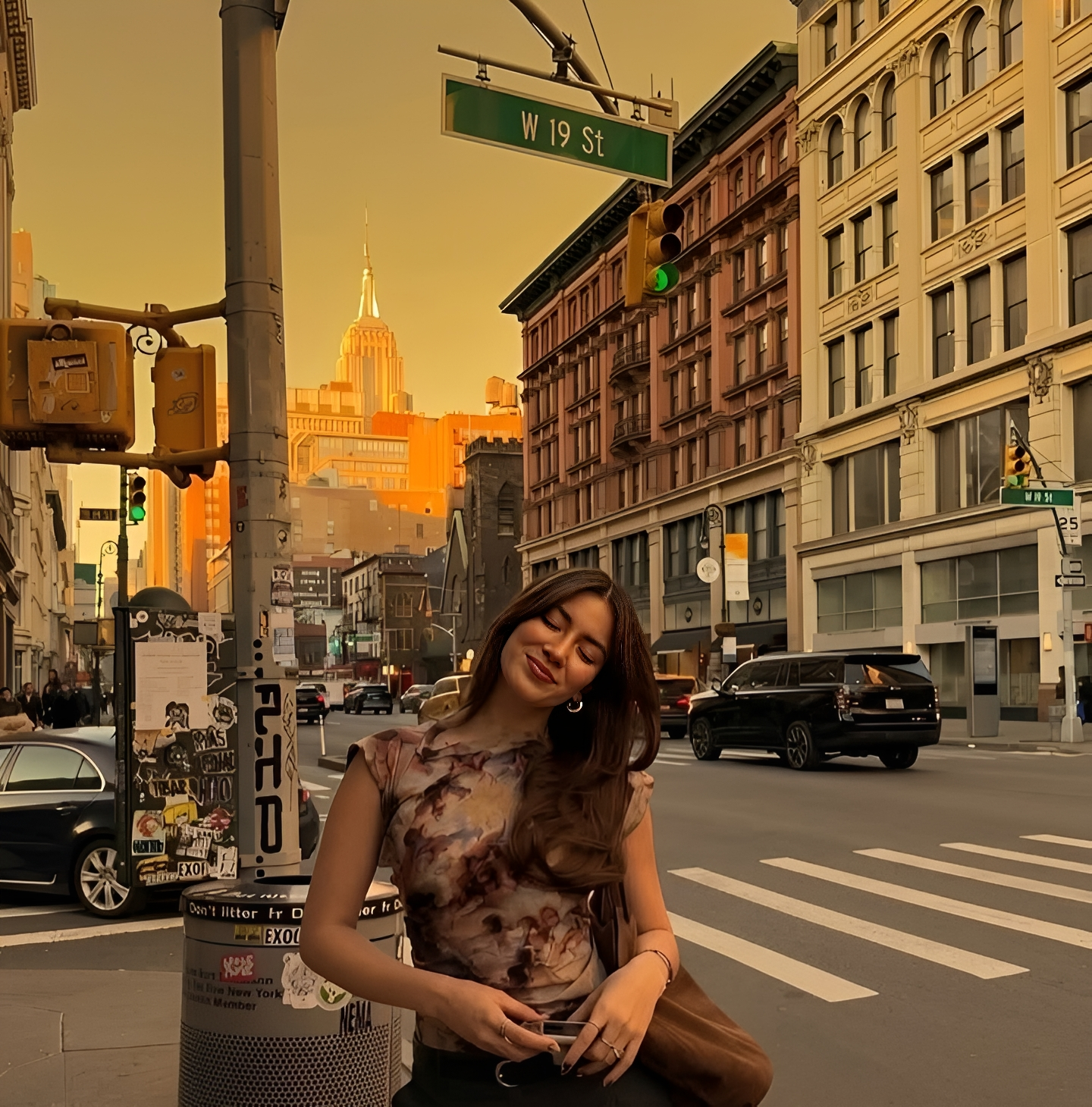
Weather Change Ultra Realistic Image Prompt
Generate on ChatGPTMain Prompt
How To Use
- Open ChatGPT
- Upload reference image if needed
- Copy the prompt
- Paste the prompt into ChatGPT
- Generate your AI image/video
Description
The Weather Change Ultra Realistic Image Prompt is designed for creators who want to completely transform the atmosphere, mood, and environmental conditions of an image while preserving the original subject, location, and visual realism. This style focuses on changing weather conditions such as rain, snow, fog, storms, sunshine, cloudy skies, golden-hour lighting, and seasonal environments without making the image look artificially edited. Modern AI weather-editing tools can now generate realistic rain, snowfall, fog, sunlight, and environmental effects while preserving scene composition and image quality.
Unlike traditional photo editing, this prompt is built around environmental storytelling. The generated visuals often include cinematic rain effects, wet-road reflections, dramatic storm clouds, mist-covered landscapes, snowfall accumulation, monsoon atmospheres, golden sunlight beams, and realistic sky transformations. The goal is to make the final image appear as though it was naturally photographed under completely different weather conditions. AI weather editors increasingly focus on matching lighting, shadows, reflections, and environmental details to maintain realism after weather transformation.
This prompt is especially useful for photographers, travel creators, filmmakers, content creators, tourism brands, Instagram pages, marketers, and AI artists who want multiple environmental variations from a single image. Instead of waiting for ideal weather conditions or organizing new photoshoots, creators can instantly generate rainy-day scenes, snowy landscapes, dramatic storms, dreamy fog environments, or luxury sunset visuals.
One of the biggest strengths of this style is flexibility. Users can create monsoon-inspired edits, winter transformations, cloudy cinematic moods, cyberpunk rainy-night scenes, luxury tropical sunsets, fantasy fog landscapes, storm-driven action visuals, or seasonal transitions from summer to winter. Each variation changes the emotional tone of the image while preserving its identity.
When combined with realistic atmospheric particles, accurate shadow adaptation, scene-consistent lighting, natural reflections, environmental depth, and cinematic color grading, the final result can closely resemble a real photograph captured during the new weather condition rather than a digitally edited image. Advanced weather-generation systems now focus on controllable weather intensity and realistic environmental integration for highly believable results.
Best Free AI Tool
- Gemini
Alternative AI Tools
- Adobe Firefly Flux Gemini Leonardo AI OpenArt StarryAI
Tips For Better Results
- Describe the exact weather condition instead of simply saying "change weather."
- Mention environmental details such as rain intensity, snowfall density, fog thickness, storm-cloud atmosphere, sunlight direction, or seasonal mood.
- Preserve the subject, facial identity, clothing, buildings, and environment while modifying only weather-related elements.
- Use cinematic phrases such as rainy-night photography, dramatic thunderstorm scene, winter wonderland atmosphere, luxury golden-hour lighting, or fog-covered landscape.
- Add realistic effects like puddle reflections, wet surfaces, snow accumulation, mist layers, falling rain particles, or sunlight rays.
- Ensure shadows, reflections, and lighting match the new weather condition.
- Experiment with seasonal transitions such as summer-to-winter, sunny-to-rainy, or day-to-night weather transformations.
Tags
#WeatherChangePrompt #WeatherTransformationAI #RainEffectPrompt #SnowWeatherEdit #ChatGPTWeatherPrompt #CinematicWeatherPhotography #SeasonalTransformationAI #RealisticWeatherEditing #StormEffectImagePrompt #MonsoonPhotographyAI #EnvironmentalPhotoTransformation #TrendingWeatherPrompt