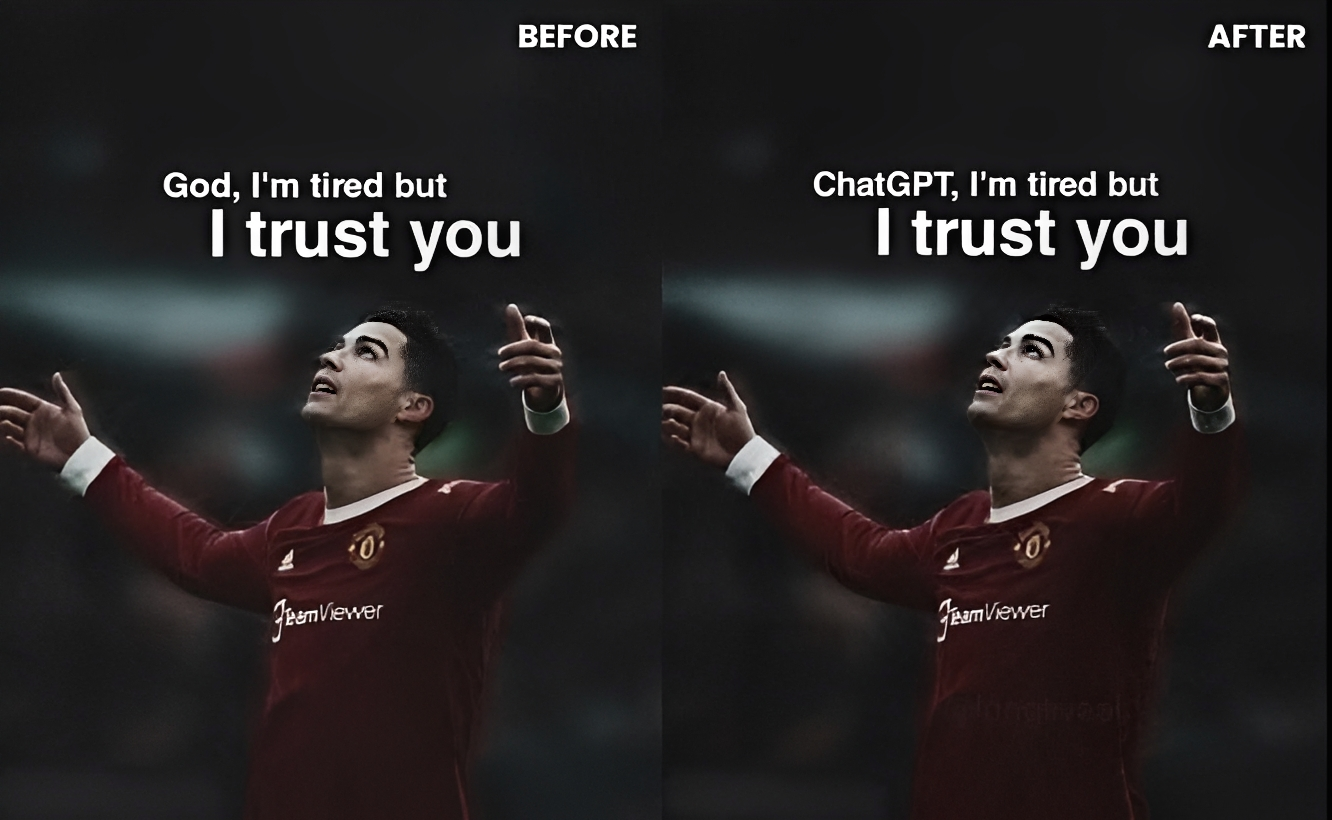
Edit Text In Image By Replacing Image Prompt
Generate on ChatGPTMain Prompt
How To Use
- Open ChatGPT
- Upload reference image if needed
- Copy the prompt
- Paste the prompt into ChatGPT
- Generate your AI image/video
Description
The Edit Text In Image By Replacing Image Prompt is designed for creators who want to modify, replace, redesign, or upgrade text inside existing images while preserving the original design, layout, style, and visual quality. This type of AI editing has become extremely popular because it allows users to customize posters, advertisements, banners, product promotions, thumbnails, social-media graphics, logos, packaging designs, and marketing visuals without recreating the entire image from scratch.
Unlike ordinary image-generation prompts, this style focuses on intelligent text replacement. The goal is to change only the written content while maintaining the original typography style, color palette, perspective, shadows, reflections, textures, and overall design consistency. A successful edit should look as if the new text was originally part of the image.
One of the biggest strengths of this prompt is versatility. Users can replace brand names, promotional offers, poster titles, movie names, event details, product information, pricing text, social-media usernames, website URLs, slogans, headlines, packaging labels, or advertising copy while keeping the visual design professional and realistic.
This prompt is especially valuable for marketers, designers, business owners, content creators, e-commerce stores, social-media managers, branding agencies, and AI artists who frequently need customized graphics. Instead of designing multiple versions manually, users can quickly generate alternate text variations for different campaigns, languages, audiences, or promotional purposes.
When combined with accurate typography matching, realistic perspective correction, shadow preservation, lighting consistency, and design-aware editing, the final result can closely resemble a professionally edited graphic created using advanced design software.
Best Free AI Tool
- ChatGPT
Alternative AI Tools
- Gemini Adobe Firefly Flux Leonardo AI Canva AI Ideogram
Tips For Better Results
- Specify the exact old text and new replacement text whenever possible.
- Mention that typography, font style, shadows, colors, spacing, and design layout must remain unchanged.
- Preserve image perspective and text alignment during replacement.
- Keep lighting reflections and texture effects consistent with the original design.
- Use design-focused instructions such as poster redesign, packaging update, banner modification, or advertising text replacement.
- Avoid changing unrelated objects in the image while editing text.
- Match the new text length with the original design for the most natural result.
Tags
#TextReplacementPrompt #ImageTextEditingAI #TextChangeInImage #ChatGPTImageEdit #TypographyReplacementAI #BannerTextEditing #PosterTextModification #AITextReplacementPrompt #GraphicDesignEditingAI #AdvertisingTextUpdate #RealisticImageTextEdit #TrendingAIPrompt