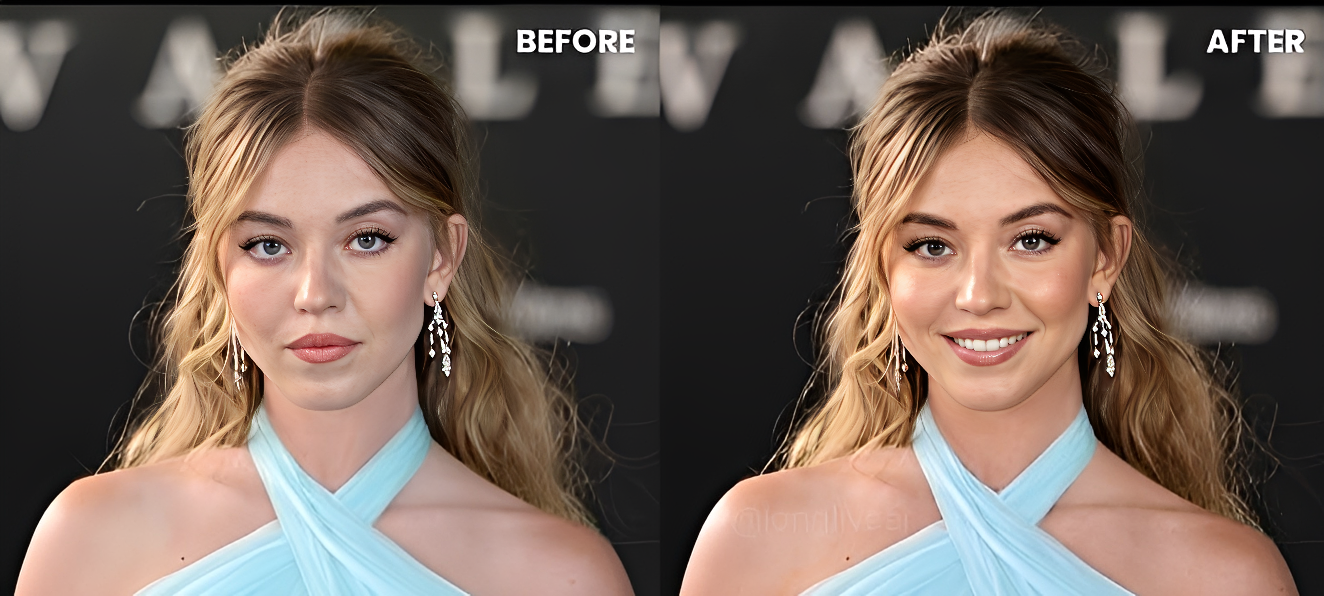
Change Facial Expression Ultra Realistic Image Prompt
Generate on ChatGPTMain Prompt
How To Use
- Open ChatGPT
- Upload reference image if needed
- Copy the prompt
- Paste the prompt into ChatGPT
- Generate your AI image/video
Description
The Change Facial Expression Ultra Realistic Prompt is designed for creators who want to transform emotions, moods, and facial reactions while keeping the person's identity realistic and recognizable. Instead of changing the entire image, this prompt focuses on modifying facial expressions naturally, making it look as if the person genuinely displayed a different emotion during the photoshoot.
This style has become increasingly popular across social media, AI-editing communities, content creation pages, and digital-art platforms because facial expressions have a huge impact on how an image feels. A simple change from a neutral face to a confident smile, intense stare, emotional look, surprised reaction, or cinematic expression can completely transform the visual storytelling of a portrait.
One of the biggest strengths of this prompt is emotional flexibility. Users can create happy expressions, luxury-model confidence, mysterious looks, emotional cinematic reactions, laughing portraits, motivational facial expressions, serious professional appearances, or dramatic movie-scene emotions. Each variation creates a different personality and atmosphere while preserving realistic facial structure and identity.
This prompt is ideal for influencers, photographers, content creators, personal-branding projects, profile-picture upgrades, fashion editors, AI artists, and social-media creators who want more expressive and engaging portraits. The generated results can be used for Instagram content, thumbnails, cinematic edits, portfolio photography, promotional visuals, and storytelling-focused artwork.
When combined with realistic skin textures, natural facial-muscle movement, detailed eye expressions, cinematic lighting, and professional portrait composition, the final image can appear almost identical to a real photograph captured at the perfect emotional moment.
Best Free AI Tool
- ChatGPT
Alternative AI Tools
- Gemini Flux Leonardo AI Adobe Firefly Midjourney Ideogram
Tips For Better Results
- Describe the exact emotion instead of using generic terms like "change expression."
- Focus on eye movement because eyes carry most emotional impact.
- Mention realistic facial-muscle adjustments rather than exaggerated cartoon emotions.
- Use portrait-photography language such as cinematic expression, luxury editorial look, emotional portrait, or professional headshot.
- Keep skin texture, lighting, and identity unchanged while modifying emotion.
- Experiment with confident, mysterious, joyful, emotional, serious, or powerful expressions.
- Match the facial expression with the environment and overall mood of the image.
Tags
#FacialExpressionPrompt #EmotionTransformationAI #PortraitEditingPrompt #ChatGPTImageEdit #RealisticExpressionChange #AIPhotoTransformation #PortraitEmotionEdit #CinematicFacialExpression #EmotionalPortraitAI #FaceEditingPrompt #RealisticPhotoEditAI #TrendingAIPrompt